Warning: JavaScript is not enabled or not loaded. Please enable JavaScript for the best experience.
Faster decisions for every offer

Grab better offers without watching your phone all day.

AutoGrabber accepts the good jobs and skips the bad ones so you can keep driving, not tapping.

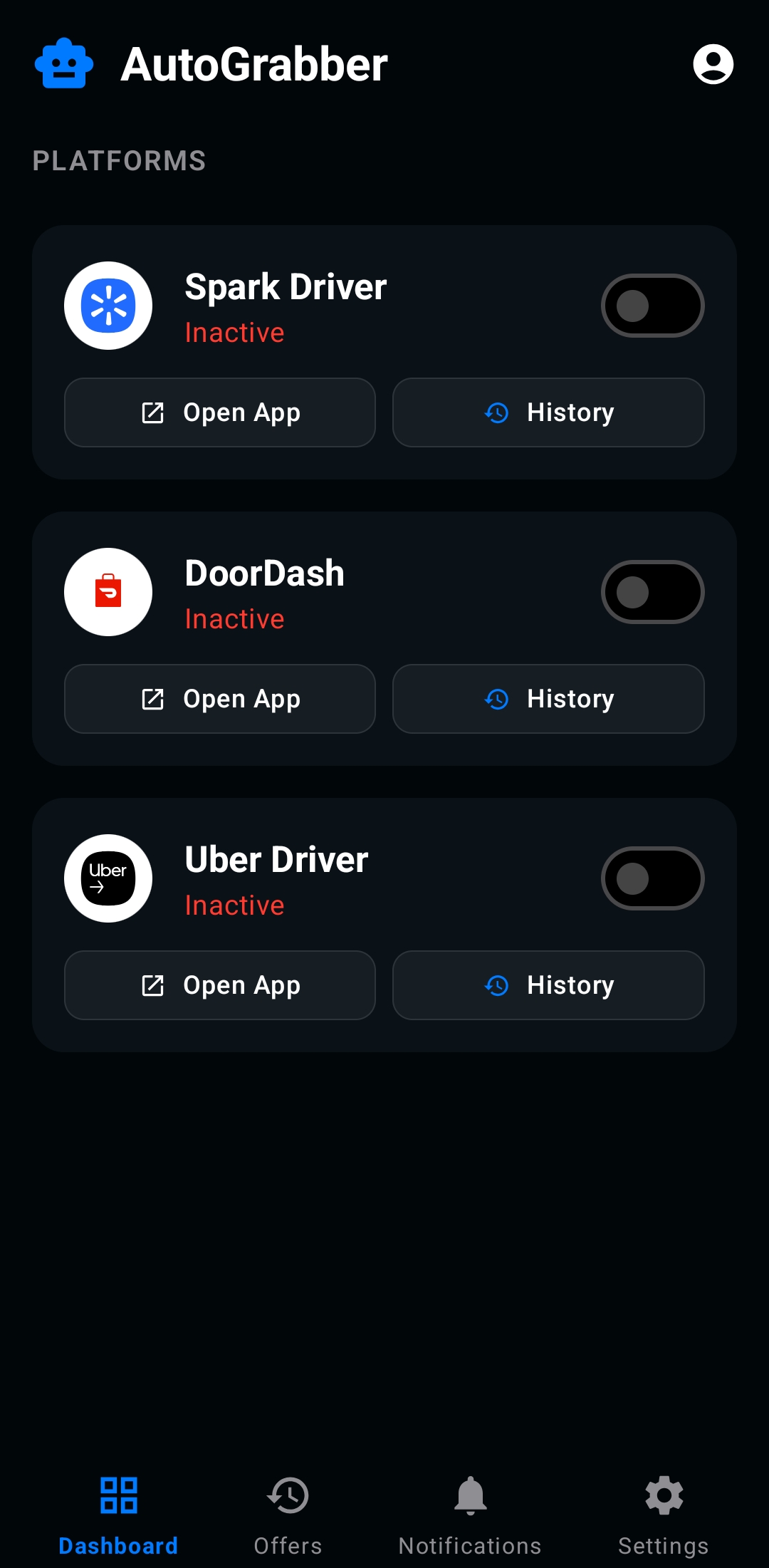
Dark mobile app interface showing automated offer acceptance toggles, earnings filters, and a glowing accept button

What AutoGrabber does

Make faster, cleaner decisions while you drive.

Set simple rules once and let AutoGrabber help you catch good offers, skip the bad ones, and stay focused on the road.

Ready to get started?

Download the APK and set your rules in minutes.

Get AutoGrabber APK

Take good offers faster

Auto-accept the offers that match your pay and distance preferences.

Skip low paying offers

Automatically reject offers that don’t match your preferences.

Save attention while driving

Less tapping, fewer distractions, and more focus on the road.

APK download

Install AutoGrabber in minutes

Download the APK and turn on your filters—no app store wait.

  1. 1
    Download the APK file.
  2. 2
    Open it from Downloads and install.
  3. 3
    Launch AutoGrabber and set filter preferences.

AutoGrabber APK

Android 15.0+ • ~90 MB

Download APK

FAQ

Quick answers for drivers

Simple, practical help for getting started and staying in control.

What does AutoGrabber do for me? +

It automatically taps accept or reject on offers for you based on the filter preferences you set within AutoGrabber.

How do I install the APK? +

Download the file, allow installs from this source, and open the app. Setup takes a couple minutes.

Can I change my filter preferences?+

Yes. You can edit your filter preferences at any time, and it will automatically adjust to your new preferences.

Which apps does it work with? +

AutoGrabber is compatible with Spark, DoorDash and Uber.